How TOs
In this section we look at some admin actions that require human intervention. All this can be found under the actions tab when filtering the portfolio.
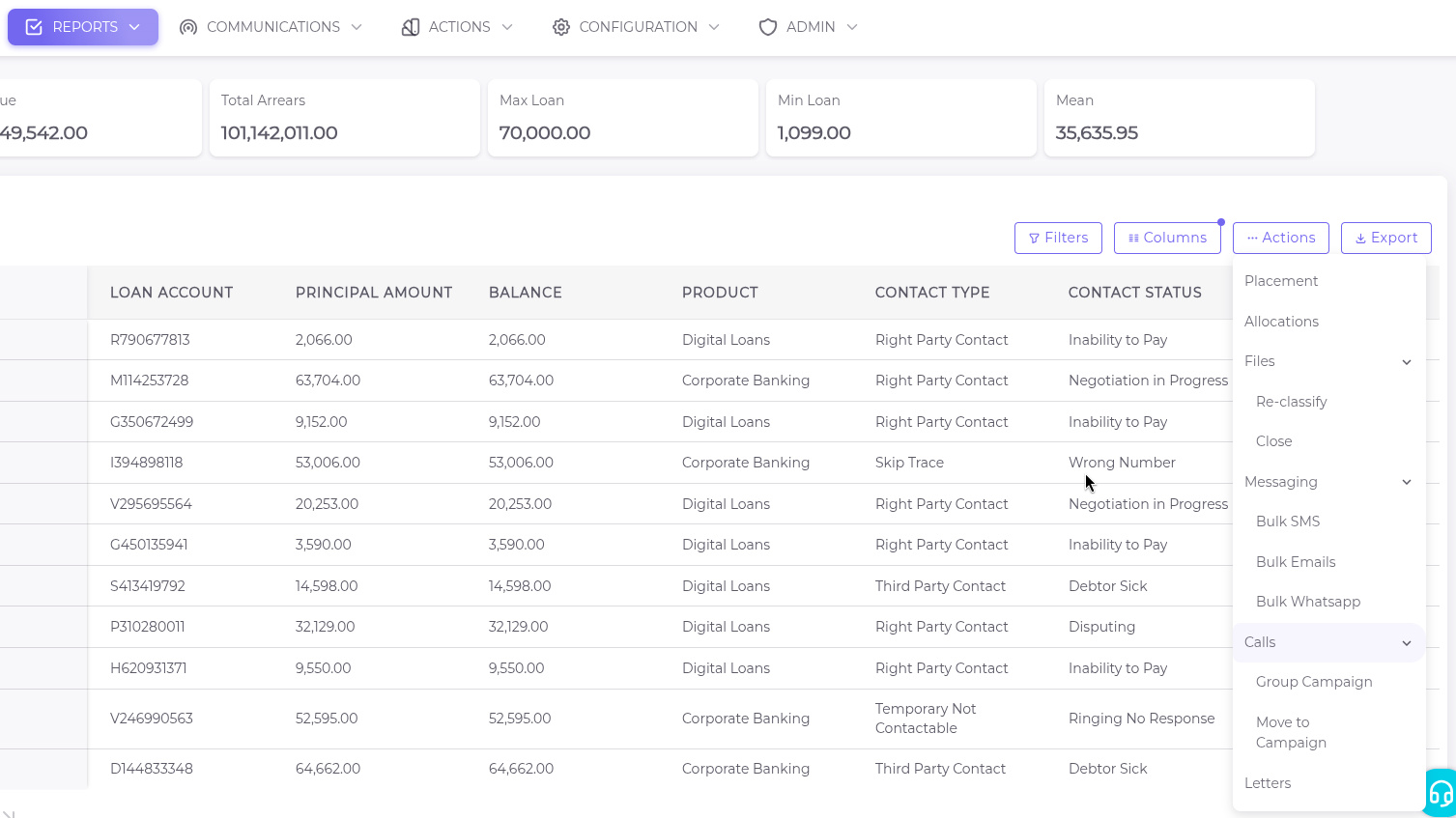
Placement
This is a process of allocating specific files to organizations based on a select number of criteria.
Allocation
This is the process of distributing files to users in the system. Kindly note this process will only take place at the organization level.
Files
This section is split into two ;
Re-classify
Here we see how to assign files to a different class or category based on the available features.
Close
As the name suggests ,this is the process of making a file inaccessible after payment or any other reasons(that have to be indicated) so that it is securly stored until required again.
Messaging
One of the features that makes the system omnichannel is the messaging and calling functionalities.In this section we will look at how bulk messaging works from normal sms to emails and whatsapp messages as well.
This is done in 4 simple steps that are well illustrated on the videos below;
i.From the portfolio report, apply the relevant filters.
ii.Select Actions tab and scroll to messaging.
iii.Click on Bulk SMS, Emails or WhatsApp.
iv.Final step is to compose the message through a serious of selectable options from the drop-downs(Template,Campaign,SMTP account,Gateway). Confirm the details then send or schedule them for later.
Bulk sms
Below is an illustration on how to send out sms in bulk.
Bulk Emails
Below is an illustration on how to send out Emails in bulk.
Bulk Whatsapp
This function is made possible after integration with the respetive organization's WhatsApp account. After putting filters in place, the video illustrates how to send bulk whatsapp messages.
Calls
In this setion we look at how to best utilize the calling funtionality on smartcollect. We give you the option to move or add files into campaigns whether individual or group campaigns to make the calling easier and productive as possible.
Group Campaign
Here you have the ability to add certain filtered files into a general group working campaign.See steps below;
Move to Campaign
This action only moves files to the respective user's campaign.
Letters
In this section we show you how to generate letters directly from the system. It utilizes templating feature which requires the responsible personnel to prepare the contents in advance. AFter that the only input from the user will be selecting the template category and the template to use.